
Ask Real Operational Questions. Get Answers Instantly.
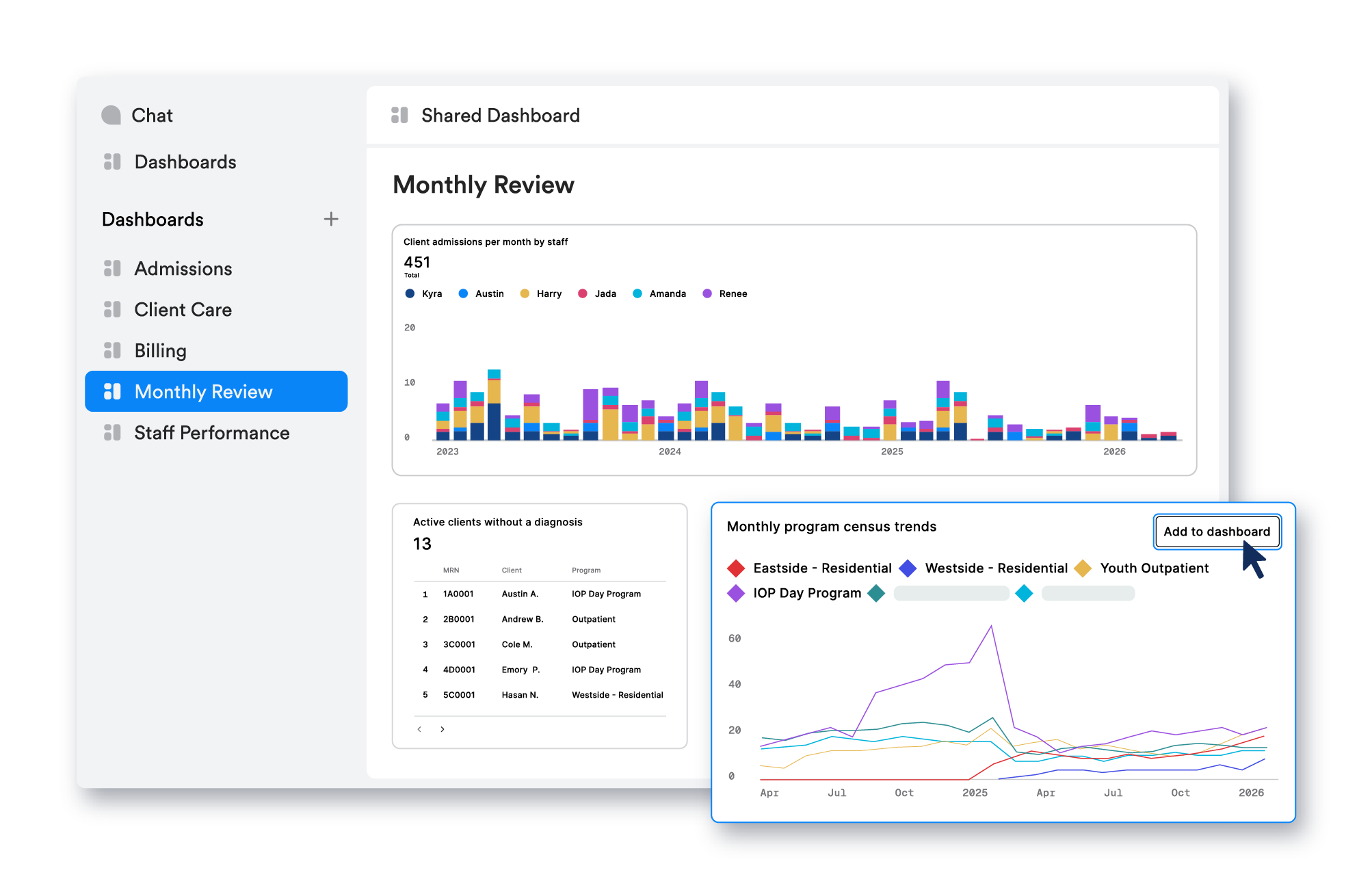
Data Studio is an AI-powered reporting assistant inside Ritten. Ask questions about performance, utilization, admissions, and revenue in plain language and instantly get answers, charts, and dashboards powered by your clinic’s own data. No spreadsheets. No reporting bottlenecks.
Built for operational reporting and performance insight, with role-based access controls.

Self-serve operational intelligence inside Ritten
Data Studio turns reporting into a conversation with your data. Instead of exporting spreadsheets or waiting on custom reports, your team can ask real questions in plain language and get immediate, explainable answers directly inside Insights.
- Ask questions in plain language or type SQL if you prefer
- Instantly generate answers, charts, tables, and dashboards
- See the step-by-step logic behind each result for transparency and trust
Reporting is bigger than charts now
Charts and dashboards still matter, but they’re no longer the starting point. With Data Studio, teams start with the question and get answers with context, trends, and drivers, not just static tables.
- Move faster: Go from question to answer in minutes, not days
- Go deeper: Refine results with follow-up questions to uncover trends
- Make it repeatable: Turn one-off questions into dashboards your team revisits weekly
- Reduce fire drills: Fewer “can you pull this?” requests and spreadsheet churn
The questions leaders actually need answered
Use Data Studio to answer real operational and financial questions like:

Admissions & Census
“Show admissions by program over the last 6 months.”“Which programs are trending down in census over the last 30 days?”

Capacity & Utilization
“How has caseload per clinician changed month over month?”“Which programs are underutilized right now?”

Revenue Cycle & Billing
“What’s the average time from claim submission to reimbursement by payer?”“Which payers have the longest reimbursement timelines this quarter?”

Referral & Growth Health
“Which referral sources haven’t sent cases in the last 60 days?”“Where are we seeing sustained growth vs short-term spikes?”

How Data Studio Works Inside Insights
Improve Text is only getting better. On the roadmap:
- Form Instruction Awareness: Improve Text will read your form instructions to make content even more accurate and context-specific.
Turn reporting into action
- One source of truth: Admissions, Operations, Clinical leadership, and Billing work from the same data
- Fewer reporting bottlenecks: Reduce dependency on exports, analysts, and ad-hoc requests
- Faster decisions: Answer questions while it still matters, not weeks later
- Stronger weekly rhythms: Dashboards become part of how your clinic runs
Frequently Asked Questions
Still have questions about our behavioral health software? Email us at hello@ritten.io
No. Ask in plain language using your Ritten data, directly inside Insights.
Access is controlled by role permissions. Only authorized users can view and query reporting data.
No. Data Studio is designed for operational reporting and performance insights. Teams should validate critical decisions and follow your organization’s policies for clinical use.
Data Studio provides plain-language answers and analyses, and it can generate charts, tables, and dashboards when those make the insight easier to understand and share.
Data Studio is built for supervisor-level users who need operational visibility across Admissions, Operations, Clinical leadership, and Billing.

Get started with Ritten today!

Customized setup
Easily switch from old provider
Simple pricing